Create CloudFront for Frontend (S3)
Initialize CloudFront Distribution for Frontend (S3)
ℹ️ Objective
- Create a second CloudFront Distribution, this time dedicated to distributing the static frontend files from the S3 bucket.
- Improve page load speed: CloudFront will cache the frontend files at Edge Locations worldwide, helping users everywhere access the website with the lowest possible latency.
- Enhance security: We will configure Origin Access Identity (OAI), a special feature of CloudFront. OAI will lock down the S3 bucket, allowing only a single “user”—CloudFront—to read the files. End-users will no longer be able to access the S3 bucket directly, ensuring all access goes through CloudFront.
🔒 Execution Steps
1. Start Creating the Distribution
- In the AWS Management Console, return to the CloudFront service.
- Click on Create distribution.
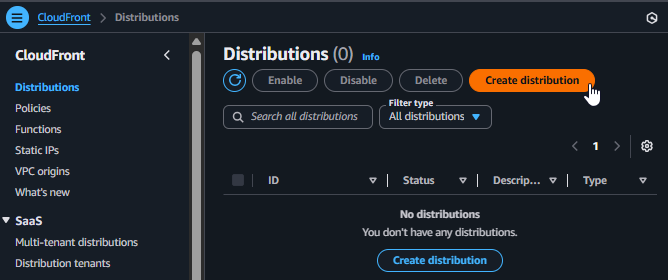
Starting to create a new CloudFront Distribution
2. Configure the Origin
- Origin domain: Click on this field and select your S3 bucket from the list, for example:
project-frontend-030925.s3.ap-southeast-1.amazonaws.com. - Origin access: This is the most critical security configuration step.
- Select
Legacy access identities. - Origin access identity: Click on Create new OAI.
- Leave the default name and click Create.
- Bucket policy: Select
Yes, update the bucket policy. This action will automatically add a policy to your S3 bucket, granting the newly created OAI permission to read the objects.
- Select
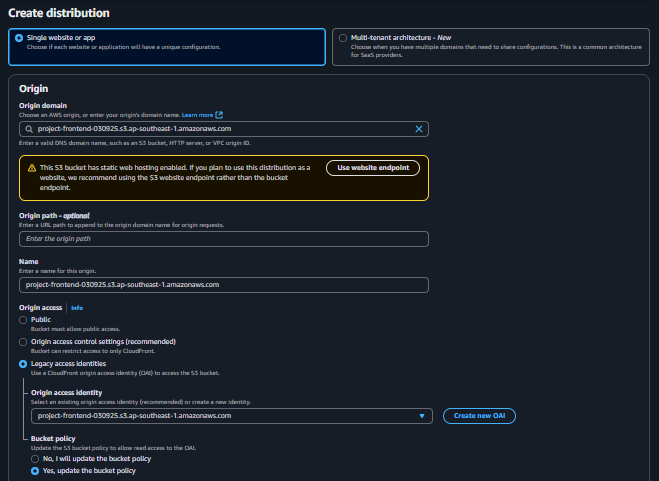
Configuring the Origin as an S3 Bucket and creating an OAI
3. Configure the Remaining Settings
- Web Application Firewall (WAF): Select
Do not enable security protections. - Settings - Default root object:
- Type
index.html.This is a required setting. It tells CloudFront which file to return when a user accesses the root domain (e.g., `https://d...cloudfront.net/`) without specifying a particular file.
- Type
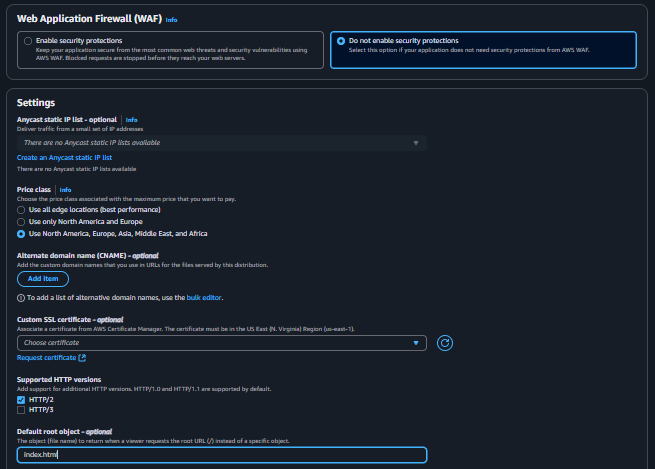
Setting the Default Root Object
4. Finalize and Test
- Scroll to the bottom and click Create distribution.
- Similar to before, the deployment process will take a few minutes. Wait until the status is no longer
Deploying. - Copy the Distribution domain name value.
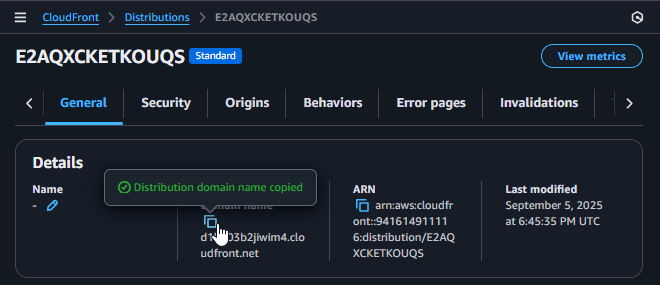
Copying the Domain Name of the Frontend Distribution
- Paste this domain name into your browser. You should see your frontend application load successfully.