Edit Subnets
Configure Auto-assign Public IP for Public Subnets
ℹ️ Objective
- Enable the feature to automatically assign public IP addresses to resources (like EC2 instances) launched in the Public Subnets. This is necessary to be able to access the Bastion Host from the Internet.
🔒 Execution Steps
1. Access the Subnet management page
- From the VPC Dashboard, select Subnets from the left menu to view the list of created subnets.
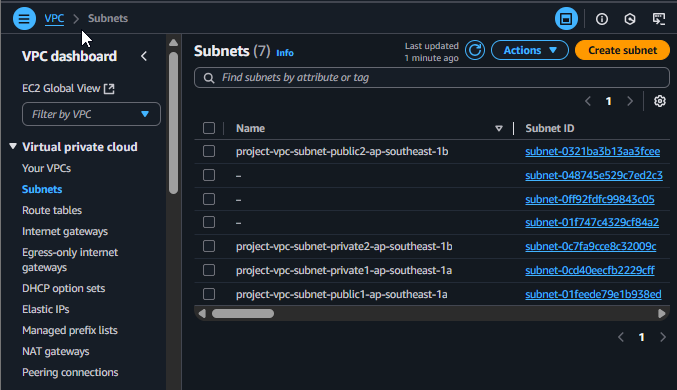
List of Subnets
2. Configure the first Public Subnet
- Identify and select one of the two created Public Subnets (e.g.,
project-vpc-public-subnet-ap-southeast-1a). - Click the Actions button and select Edit subnet settings.
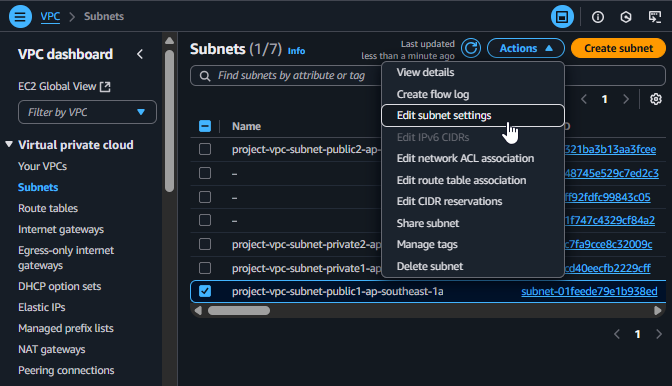
Select Edit subnet settings
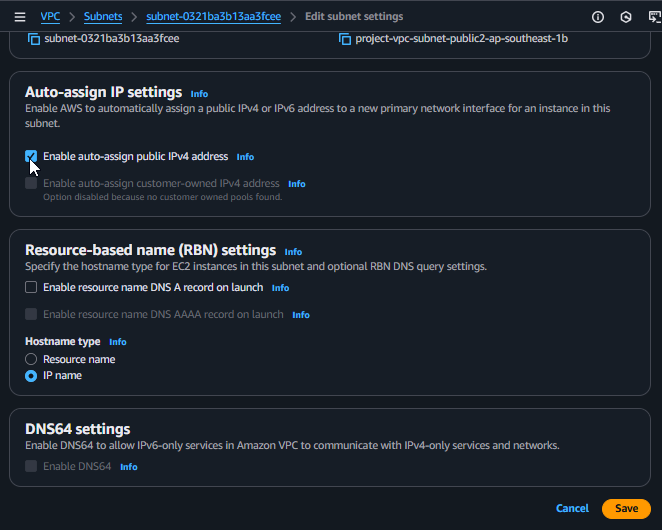
3. Enable the Auto-assign IP feature
- On the Edit subnet settings page, find the Auto-assign IP settings section.
- Check the box for Enable auto-assign public IPv4 address.
- Scroll down and click Save to save the changes.
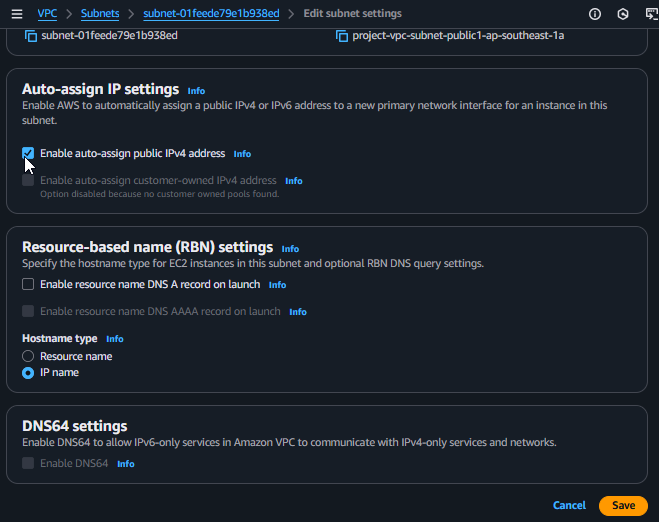
Enabling the Auto-assign Public IP feature
4. Repeat for the remaining Public Subnet
- Repeat steps 2 and 3 for the second Public Subnet (e.g.,
project-vpc-public-subnet-ap-southeast-1b) to ensure that instances in both Availability Zones can receive a public IP when needed.
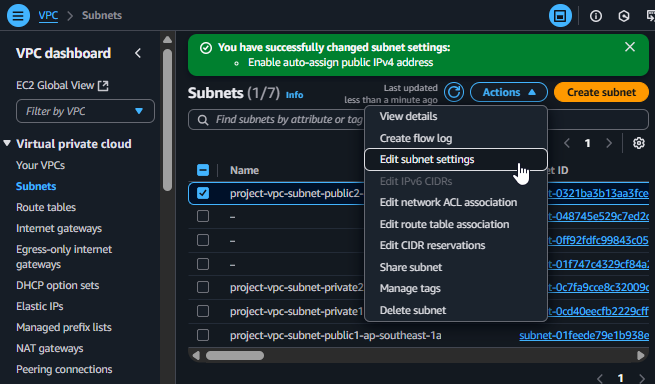
Complete the configuration for both Public Subnets