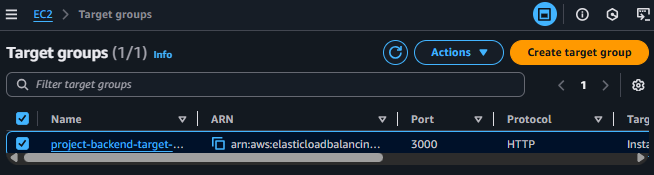
Create Target Group
Initialize Target Group
ℹ️ Objective
- A Target Group is used to group resources (in this case, EC2 instances) to which the Application Load Balancer (ALB) will route traffic.
- The ALB also uses the Target Group to perform Health Checks, ensuring that it only sends requests to instances that are operating correctly.
- We will create a Target Group to manage the project’s backend servers.
🔒 Execution Steps
1. Access Target Groups
- From the EC2 Dashboard, in the left menu, scroll down to the Load Balancing section and select Target Groups.
- Click on Create target group.
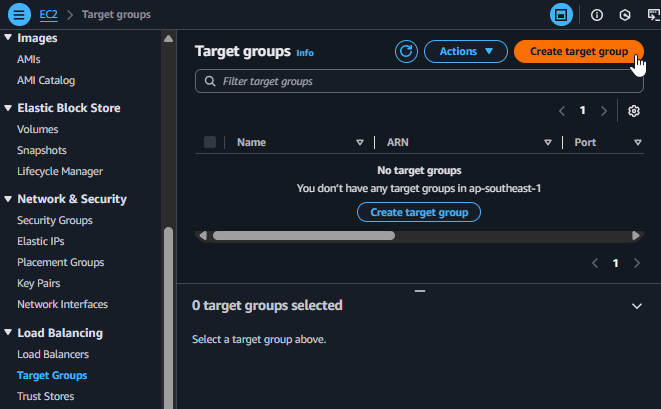
Starting to create a Target Group
2. Choose a target type
- In the Choose a target type step, select Instances because we want the Load Balancer to route traffic to EC2 instances.
- Click Next.
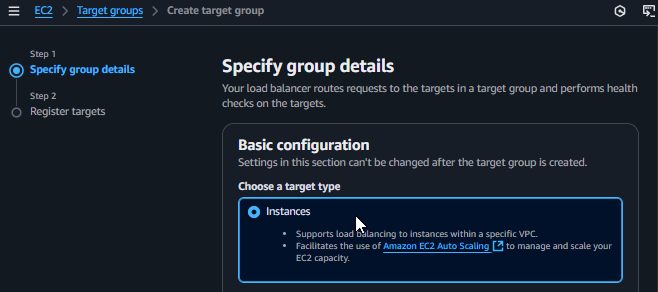
Choosing Instances as the Target Type
3. Specify group details
- Target group name:
project-backend-target-group - Protocol - Port: Select
HTTPand enter3000. This is the port our backend Node.js application is listening on. - VPC: Select
project-vpc. - Health checks:
- Health check protocol:
HTTP - Health check path:
/health. This is the path the Load Balancer will access to check if the server is healthy (related to the backend code).
- Health check protocol:

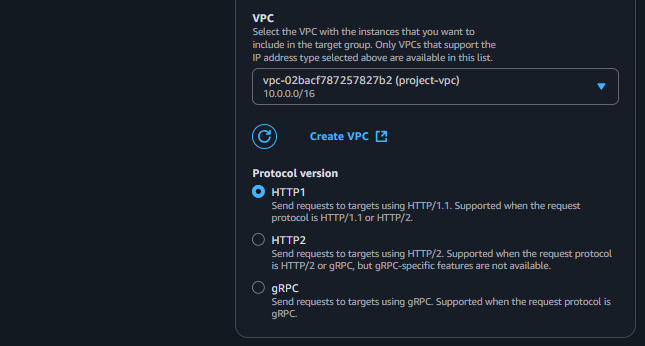
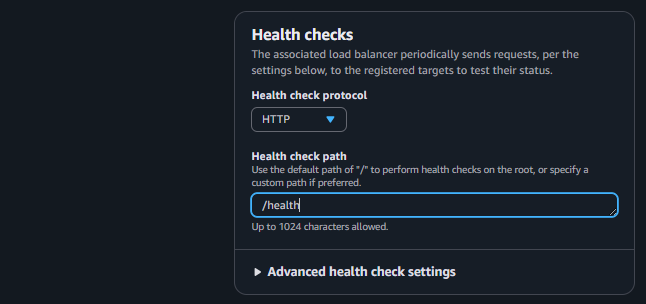
Filling in the configuration details for the Target Group
4. Register initial targets
- In this step, we will register the manually created backend instance with the Target Group.
- In the Available instances table, select
project-backend-ec2. - Click Include as pending below. This will add the instance to the list of targets to be registered.
Registering at least one initial instance helps us verify that the Load Balancer and Target Group are working correctly after configuration. Subsequent instances will be automatically registered by the Auto Scaling Group.
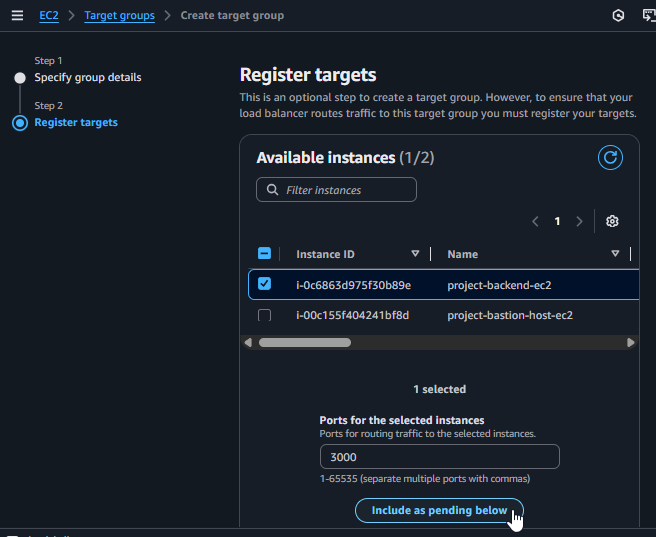
Registering an instance with the Target Group
5. Finalize and review
- Scroll down and click Create target group.
- After successful creation, you will be taken to the Target Group’s details page. Initially, the instance’s health status may be
unhealthyorinitial. Wait a few minutes for the Load Balancer to perform its health check, and the status will change tohealthy.